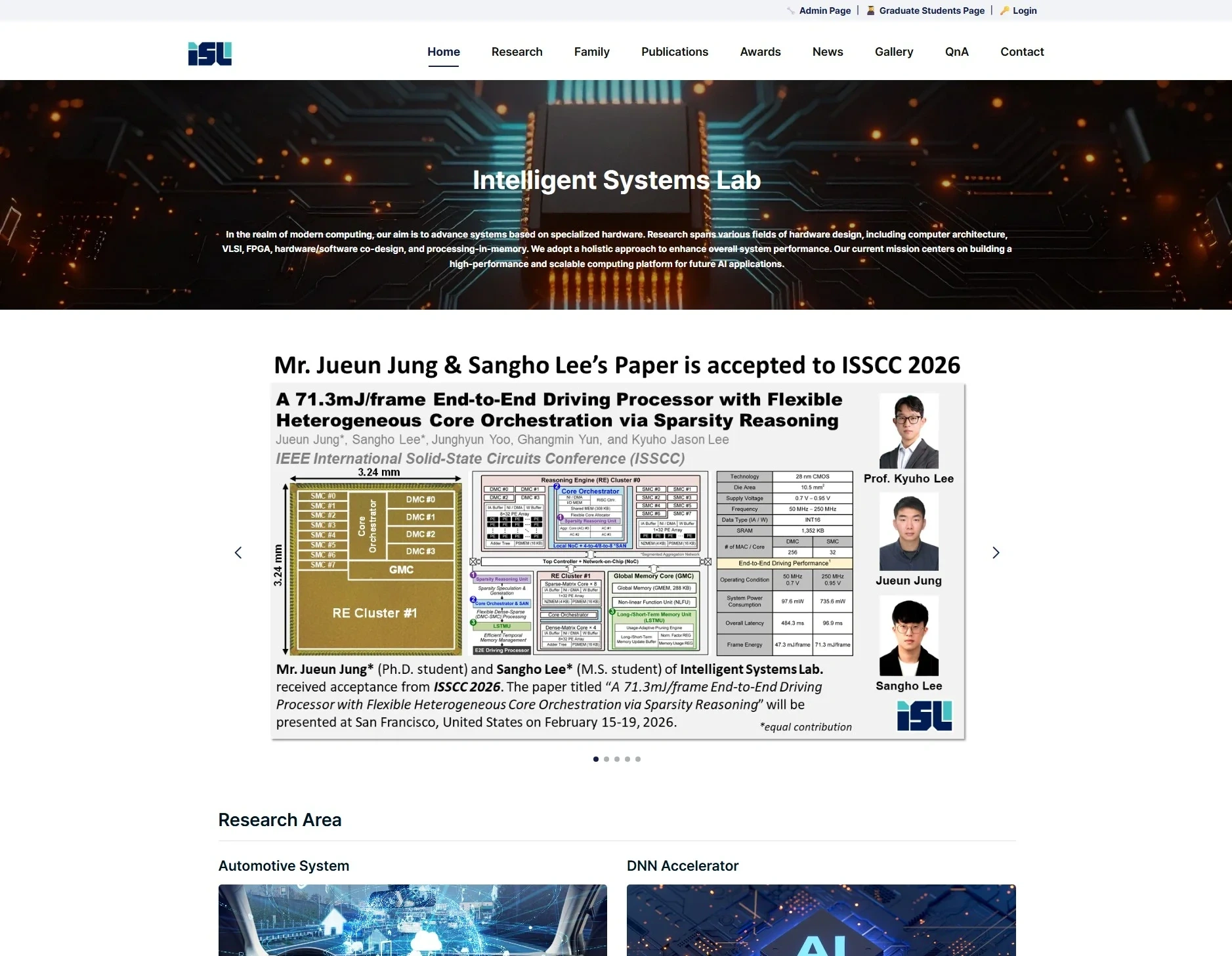
I built the official website of the Intelligent Systems Lab (ISL) at Yonsei University on WordPress. It provides the lab introduction, member information, research areas, publication management, and more.
1. Project Overview
1.1 Background
A lab website plays an important role: it shows the lab's research results to the outside world, keeps member information up to date, and introduces the lab to prospective graduate students. The old site was hard to maintain, so I rebuilt it on WordPress so that the professor and students could manage content easily.
1.2 Main goals
- Communicate the lab's research areas and results effectively
- Manage member information (professor, students, alumni) systematically
- Organize publications (papers, patents, books) by category
- Archive activity records such as news and the gallery
- A CMS structure that lets non-specialists update content easily
2. Tech Stack
2.1 Choosing the platform
Why I chose WordPress 6.8:
- Easy content management for non-developers
- A rich plugin ecosystem
- Built-in SEO features
- Reliable security updates
2.2 Technologies used
| Area | Technology |
|---|---|
| CMS | WordPress 6.8.3 |
| Theme | Custom theme (isl_2025) |
| Frontend | HTML5, CSS3, JavaScript |
| Carousel | Swiper.js |
| Board | KBoard plugin |
| Analytics | Google Analytics 4 |
| Images | Optimized WebP format |
3. Site Structure
3.1 Menu layout
Home
├── Research
│   ├── Automotive Systems
│   ├── DNN Accelerator
│   ├── Processing-in-Memory
│   └── Neuromorphic
├── Family
│   ├── Professor
│   ├── Students
│   └── Alumni
├── Publications
│   ├── Journals
│   ├── Conferences
│   ├── Patents
│   └── Books
├── Awards
├── News
├── Gallery
├── QnA
└── Contact
3.2 Main pages
Home: Shows the lab introduction and the latest news in a carousel, with the four main research areas summarized as cards.
Research: A detailed page for each of the four research areas, covering its goals, approach, and representative results.
Family: The professor's profile, the current student list, and the alumni, with photos and links to personal websites or LinkedIn.
Publications: Papers grouped into Top-Tier and Major tiers, with filtering by year and category.
4. Key Features
4.1 News carousel
An auto-rotating news slider built with Swiper.js:
- Automatic transition every 5 seconds
- Left/right navigation buttons
- Pagination dots
- Touch/drag support (mobile)
4.2 Publication management
A custom post type for managing academic publications systematically:
- Journal/conference/patent/book categories
- Tier tags (Top-Tier, Major, etc.)
- Archiving by year
- BibTeX export
4.3 Member profiles
Each member's information is shown as a card:
- Profile photo (WebP-optimized)
- Name, position, research area
- Email and personal website link
- Current affiliation for alumni
4.4 Responsive design
Layouts optimized for mobile, tablet, and desktop:
- CSS media queries
- Hamburger menu on mobile
- Lazy loading for images
- Touch-friendly UI
5. SEO and Performance
5.1 SEO
- Schema.org markup (Organization, Person, Article)
- Open Graph meta tags
- Automatic XML sitemap generation
- Search-engine-friendly URL structure
5.2 Performance
- Converting images to WebP cut their size by 60%
- Minified and cached CSS/JS files
- Static resources served through a CDN
- Optimized database queries
6. Administration
6.1 Content management
Through the WordPress admin dashboard:
- Write and edit news/announcements
- Update member information
- Add/edit publications
- Upload gallery photos
6.2 Access control
Role-based permissions:
- Administrator: access to all features
- Editor: write/edit content
- Member: edit their own profile
7. Conclusion
Building the lab website on WordPress lets lab members who are not developers manage content easily. In particular, the publication management system and member profiles were customized for the needs of an academic lab. Next, I plan to add multilingual support (English/Korean) and integration with paper citation statistics.